# TextLink dashboard

Once you have [created an account](https://textlinksms.com/signup), you can access the TextLink dashboard on this [link](https://textlinksms.com/dashboard), or from the main page. Note that some options can be hidden from if you have logged in through a subaccount.

<figure><img src="https://3572457912-files.gitbook.io/~/files/v0/b/gitbook-x-prod.appspot.com/o/spaces%2FjN6C63NXU3nkbh40PVoq%2Fuploads%2FYiTBhCYyffauBJmnA2YM%2Fimage.png?alt=media&#x26;token=9ad881e1-8349-48ba-b0ef-37f80dbef085" alt=""><figcaption></figcaption></figure>

You can find the navigation menu on the left side. As you can see, we have a few pages there, but don't worry, it's not complicated, you probably won't be needing every one of these, and everything is going to be explained down below.&#x20;

## Test Services

![](https://3572457912-files.gitbook.io/~/files/v0/b/gitbook-x-prod.appspot.com/o/spaces%2FjN6C63NXU3nkbh40PVoq%2Fuploads%2FHog4S8433R05hHz0JMAl%2FTest_Services.png?alt=media\&token=f17f9e7a-c850-4c3f-8b3a-1f58c9b1274a)

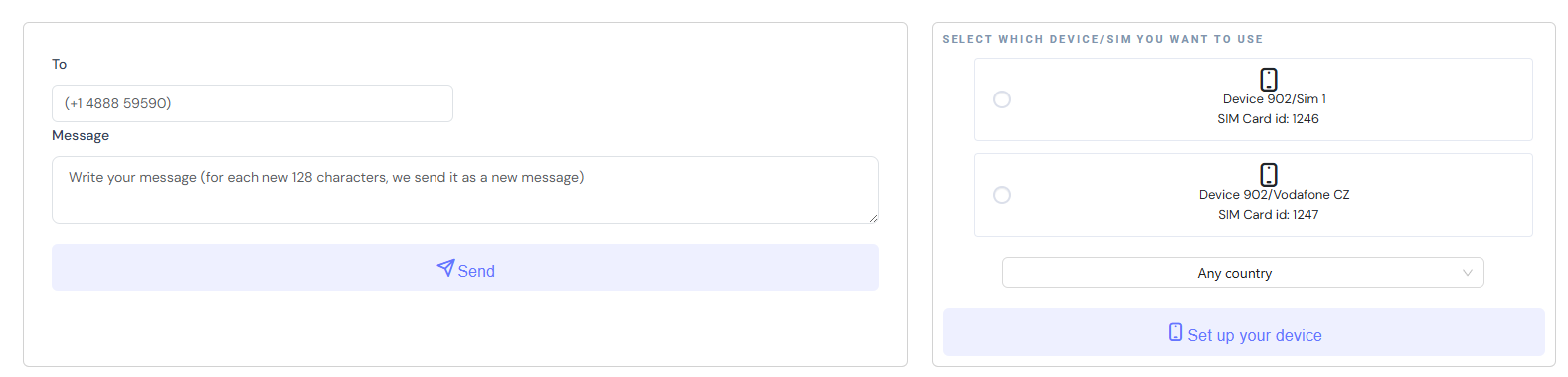
Test if sending SMS from your SIM cards works.

<figure><img src="https://3572457912-files.gitbook.io/~/files/v0/b/gitbook-x-prod.appspot.com/o/spaces%2FjN6C63NXU3nkbh40PVoq%2Fuploads%2F5rjApDRpVhma7U4ib0Bm%2Fimage.png?alt=media&#x26;token=5e7bde30-c0b8-4609-a37c-521f4cadd251" alt=""><figcaption></figcaption></figure>

## Chat App

![](https://3572457912-files.gitbook.io/~/files/v0/b/gitbook-x-prod.appspot.com/o/spaces%2FjN6C63NXU3nkbh40PVoq%2Fuploads%2FtLKQHgdF6BUCNAh8azyO%2FChat_App.png?alt=media\&token=e4559fb4-8d96-4d7b-9a49-29df835a6895)

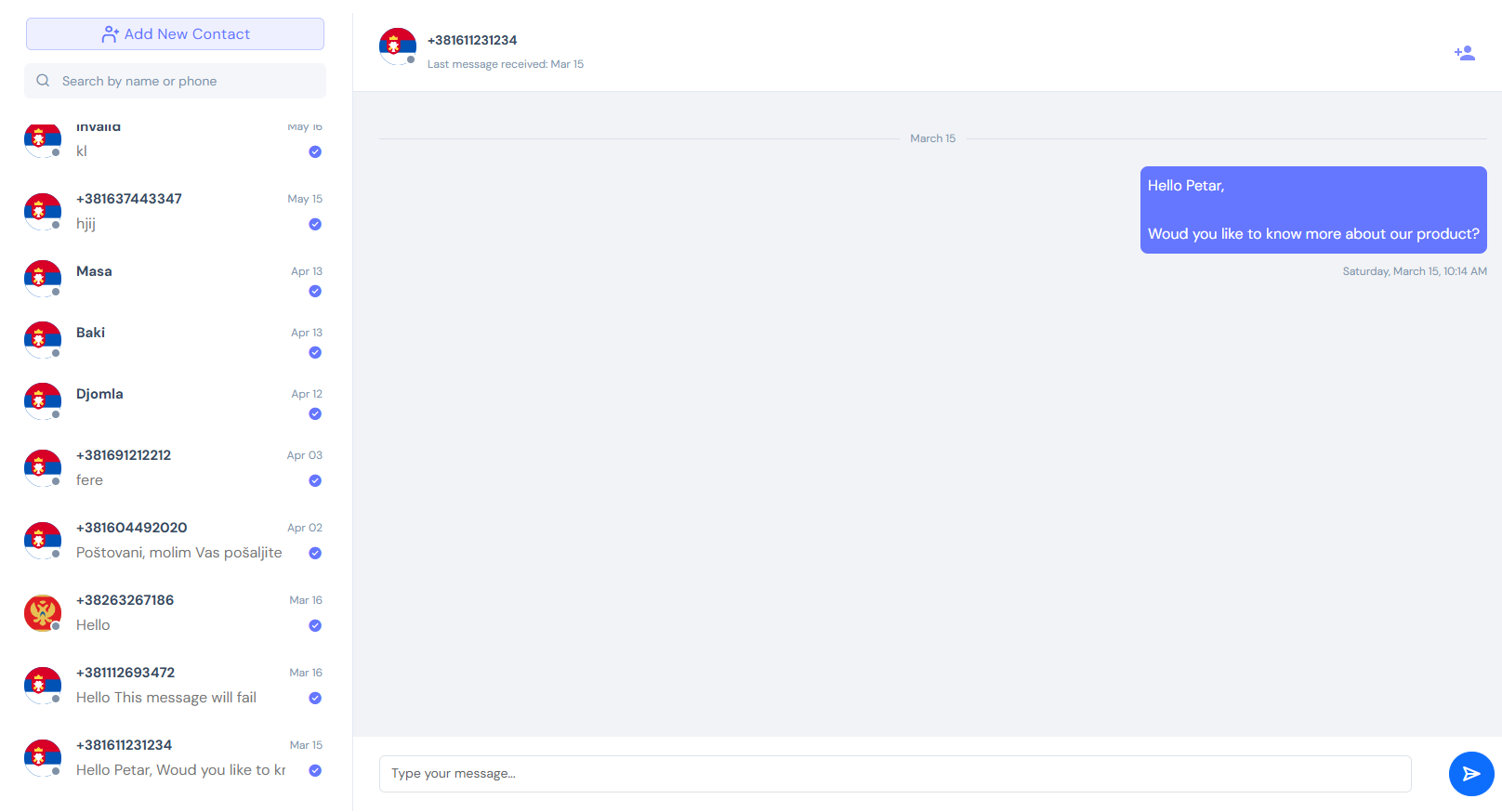
Access all the messages you have sent, create contacts and chat with them.

<figure><img src="https://3572457912-files.gitbook.io/~/files/v0/b/gitbook-x-prod.appspot.com/o/spaces%2FjN6C63NXU3nkbh40PVoq%2Fuploads%2FCjYKHs597dA5CrTOw3We%2Fimage.png?alt=media&#x26;token=fdaf243d-d584-4b88-900e-5734fbd4b5ec" alt=""><figcaption></figcaption></figure>

## No-Code SMS outreach

![](https://3572457912-files.gitbook.io/~/files/v0/b/gitbook-x-prod.appspot.com/o/spaces%2FjN6C63NXU3nkbh40PVoq%2Fuploads%2Feh9Me4KpAGXIJljhQ7gO%2Fimage.png?alt=media\&token=fd2189b5-6106-497d-93b5-1793a8ba2ba3)

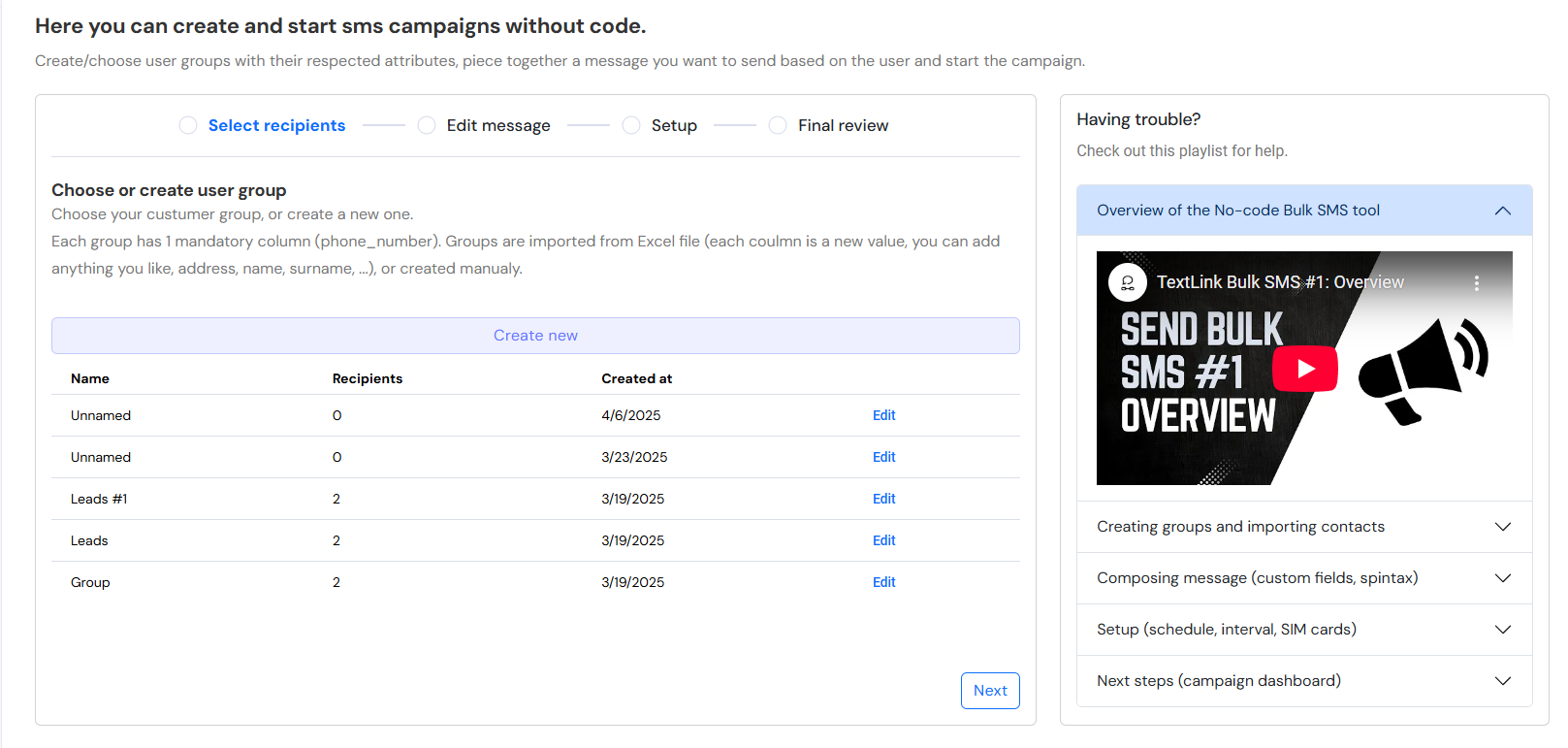
Run Bulk SMS campaigns on your list of qualified leads. Note that spam and random online lists can result in your SIM card getting banned by carrier.

<figure><img src="https://3572457912-files.gitbook.io/~/files/v0/b/gitbook-x-prod.appspot.com/o/spaces%2FjN6C63NXU3nkbh40PVoq%2Fuploads%2Ft5bYqUEnlLuoJsYoqRDG%2Fimage.png?alt=media&#x26;token=26be414b-050e-4c40-947b-51e9613ad3f2" alt=""><figcaption></figcaption></figure>

## Api & Hooks

![](https://3572457912-files.gitbook.io/~/files/v0/b/gitbook-x-prod.appspot.com/o/spaces%2FjN6C63NXU3nkbh40PVoq%2Fuploads%2FwJs79GHCUC6T4d701b4f%2FAPI_and_Hooks.png?alt=media\&token=151279e7-9e66-470d-97af-60d04f797556)

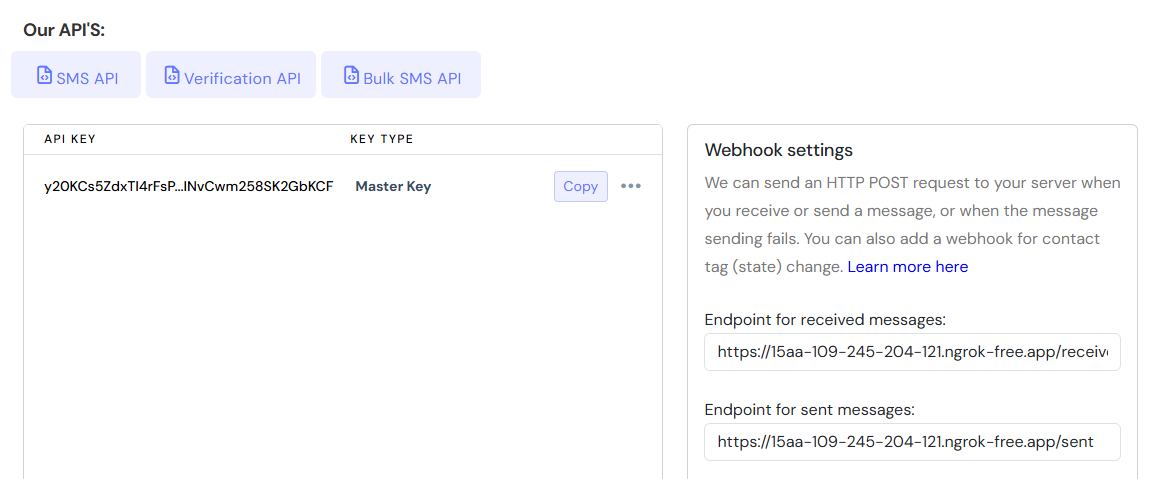
Manage your API key and webhooks for receiving SMS, tracking SMS status and tracking contacts' tags.

<figure><img src="https://3572457912-files.gitbook.io/~/files/v0/b/gitbook-x-prod.appspot.com/o/spaces%2FjN6C63NXU3nkbh40PVoq%2Fuploads%2Fo8o5dutxgQEeE5bVoD9I%2Fimage.png?alt=media&#x26;token=d00927e7-0b21-4b5f-a851-341c728cd588" alt=""><figcaption></figcaption></figure>

## GoHighLevel

![](https://3572457912-files.gitbook.io/~/files/v0/b/gitbook-x-prod.appspot.com/o/spaces%2FjN6C63NXU3nkbh40PVoq%2Fuploads%2FOi9Khmt1l2DxOacsnP0F%2FGoHighLevel.png?alt=media\&token=1d9b6ce1-8959-4103-a377-2ef64da316d2)

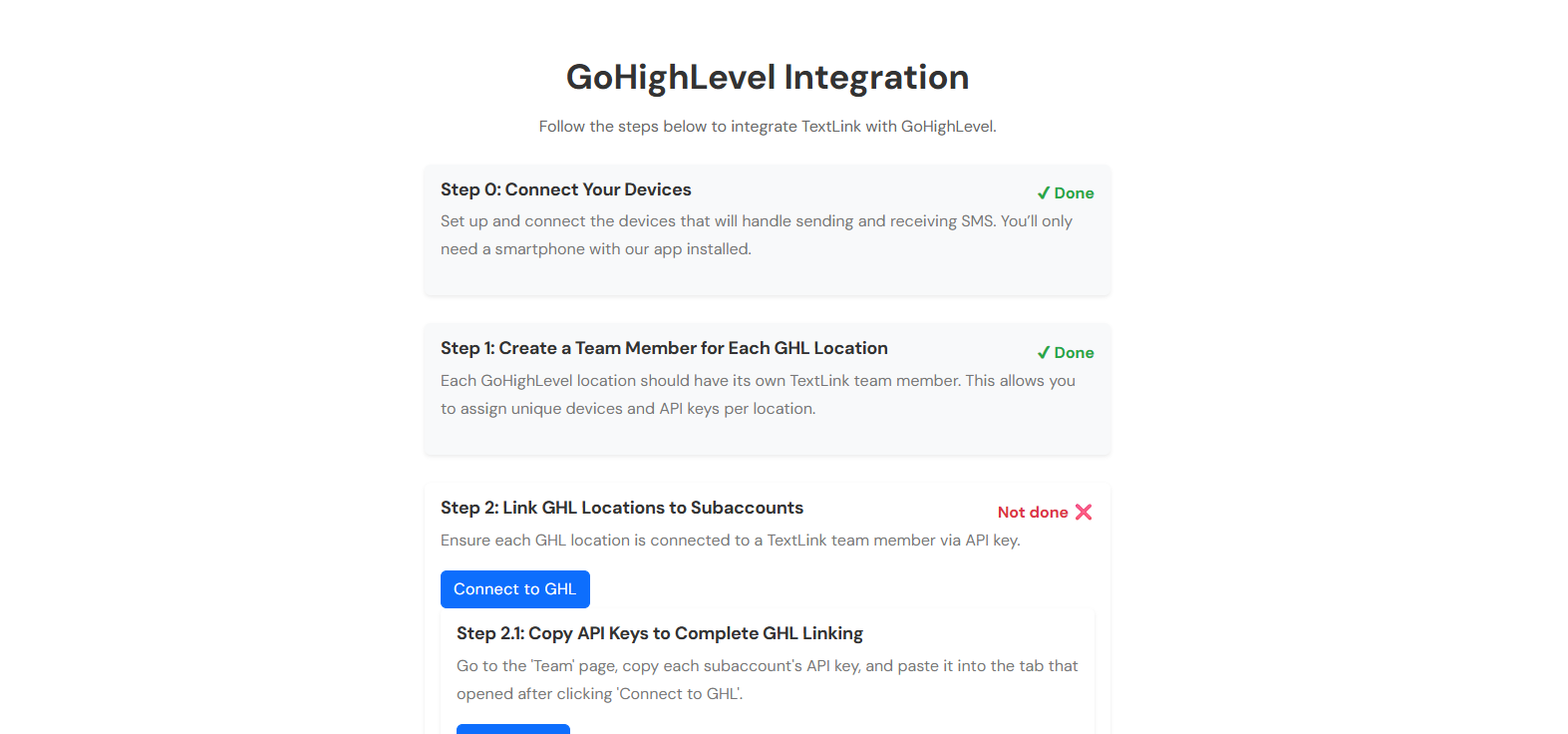
An interactive step-by-step guide on connecting your Account to use it with GHL for conversation provider features.

<figure><img src="https://3572457912-files.gitbook.io/~/files/v0/b/gitbook-x-prod.appspot.com/o/spaces%2FjN6C63NXU3nkbh40PVoq%2Fuploads%2FtALBwoXxO2ro13VU2VLv%2Fimage.png?alt=media&#x26;token=6621dc14-3acf-4206-ac46-040cfb148283" alt=""><figcaption></figcaption></figure>

## Devices and Setup

![](https://3572457912-files.gitbook.io/~/files/v0/b/gitbook-x-prod.appspot.com/o/spaces%2FjN6C63NXU3nkbh40PVoq%2Fuploads%2FSQeiNfHZBknduNv3MQYk%2Fimage.png?alt=media\&token=defe4b74-dd7a-425a-afe8-bf35a49b0200)

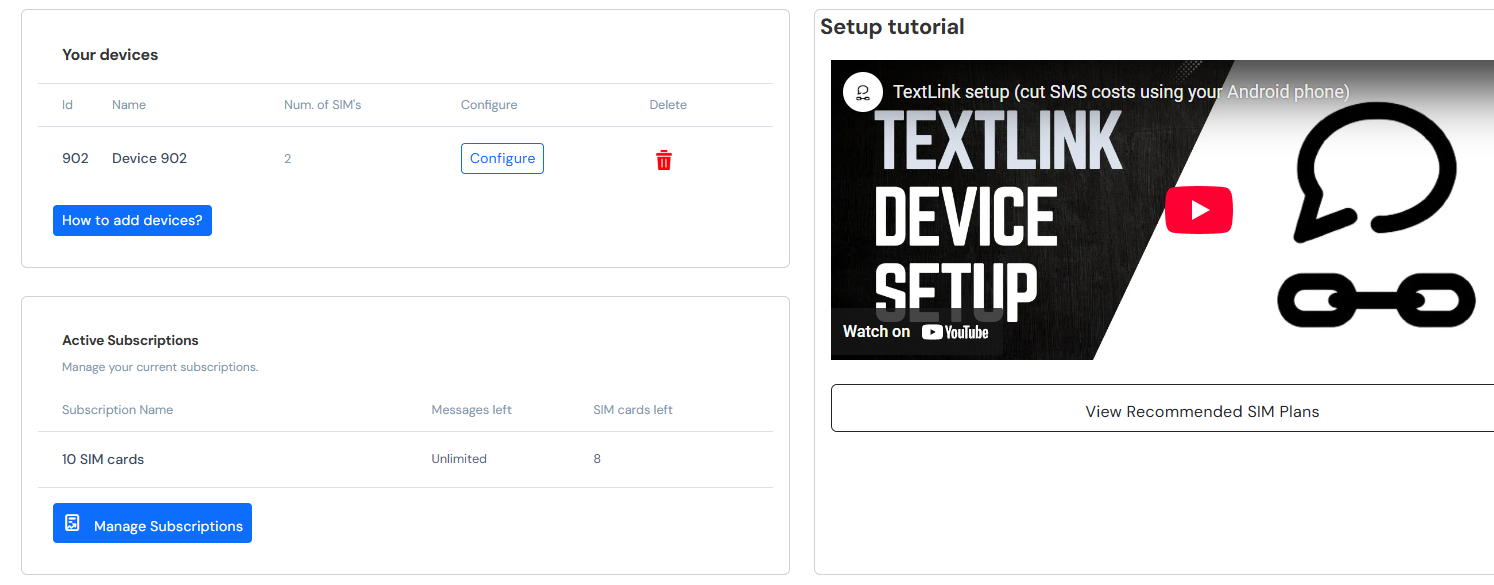
You can learn how to set up your Android device to work with TextLink on the **Tutorial** page, and on the **Dashboard** page, you can manage your devices, delete the unused ones, and configure which destinations can your SIM cards send messages to.

<figure><img src="https://3572457912-files.gitbook.io/~/files/v0/b/gitbook-x-prod.appspot.com/o/spaces%2FjN6C63NXU3nkbh40PVoq%2Fuploads%2Fm1IVFeldGmVvaRejhRGV%2Fimage.png?alt=media&#x26;token=0dc7a982-6e58-4bf9-8616-299c79242ac1" alt=""><figcaption></figcaption></figure>

## Team

![](https://3572457912-files.gitbook.io/~/files/v0/b/gitbook-x-prod.appspot.com/o/spaces%2FjN6C63NXU3nkbh40PVoq%2Fuploads%2FHtK7TlfImebXK1KM9hfL%2FTeam.png?alt=media\&token=746e0f4d-1fe3-44f5-81c8-a0ba6bde91b0)

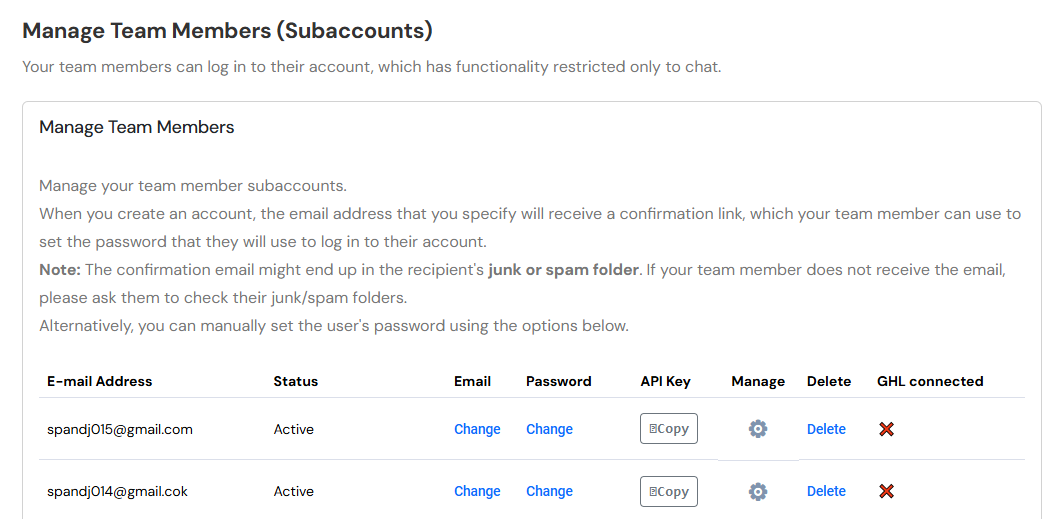
Manage and create new subaccounts. You can learn more about this on the [Team documentation page](https://docs.textlinksms.com/team).&#x20;

<figure><img src="https://3572457912-files.gitbook.io/~/files/v0/b/gitbook-x-prod.appspot.com/o/spaces%2FjN6C63NXU3nkbh40PVoq%2Fuploads%2F87g2InKLM9YtY4QRxT5c%2Fimage.png?alt=media&#x26;token=b26d40c0-6446-4183-a4dd-d5fc8b9620c7" alt=""><figcaption></figcaption></figure>

## Account

![](https://3572457912-files.gitbook.io/~/files/v0/b/gitbook-x-prod.appspot.com/o/spaces%2FjN6C63NXU3nkbh40PVoq%2Fuploads%2FWXjBvC2yQBkvcPfnXYzA%2FAccount.png?alt=media\&token=0d14d120-bf82-4da4-a797-67180a2a72f5)

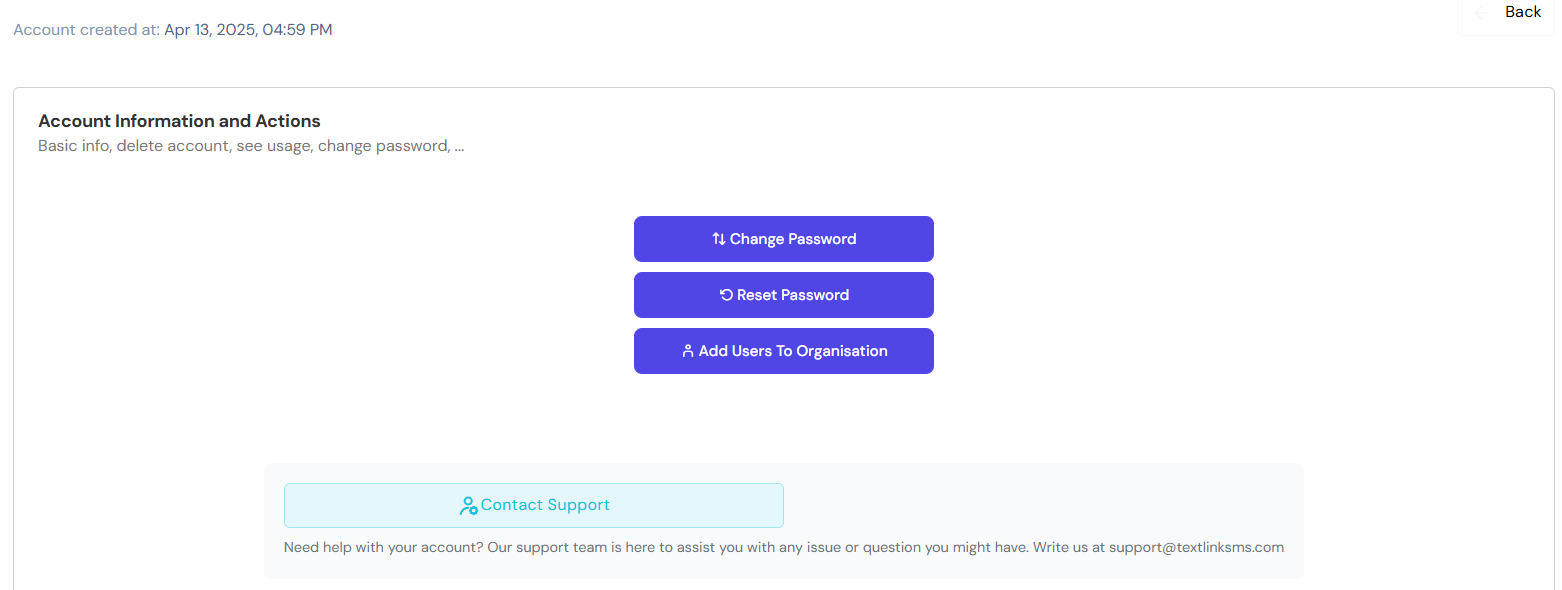
Account settings, change or reset password, contact support, delete account

<figure><img src="https://3572457912-files.gitbook.io/~/files/v0/b/gitbook-x-prod.appspot.com/o/spaces%2FjN6C63NXU3nkbh40PVoq%2Fuploads%2F706xIObT8NlFvD5vntix%2Fimage.png?alt=media&#x26;token=ec5a1ebd-39fc-4afb-be65-5ea942f58151" alt=""><figcaption></figcaption></figure>

## Plans & Billing

![](https://3572457912-files.gitbook.io/~/files/v0/b/gitbook-x-prod.appspot.com/o/spaces%2FjN6C63NXU3nkbh40PVoq%2Fuploads%2FlKsG0NHkWzUSBQPuMGrq%2FPlans_and_Billing.png?alt=media\&token=b52ac14d-fbb0-4fee-bfcd-1c6722f0120a)

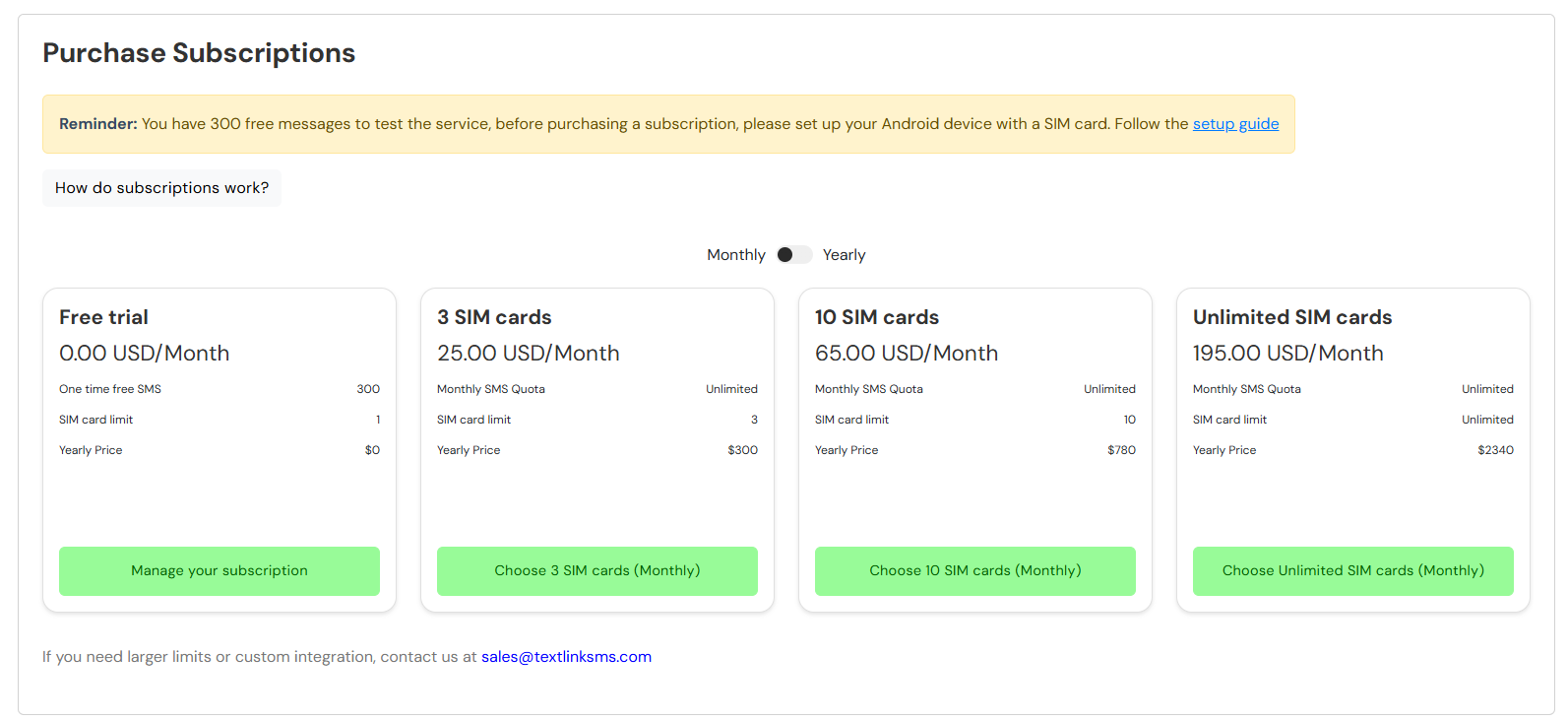
Manage and upgrade your current billing plan. You have 300 free SMS to test out TextLink, but are limited to 1 SIM card for testing purposes. If you want to have more SIM cards, or when you reach your limit, you will need to upgrade your plan to continue using TextLink.

<figure><img src="https://3572457912-files.gitbook.io/~/files/v0/b/gitbook-x-prod.appspot.com/o/spaces%2FjN6C63NXU3nkbh40PVoq%2Fuploads%2FrxrCEOjCohco1OGT0JN6%2Fimage.png?alt=media&#x26;token=2fe8b79c-cb65-4d85-9fc2-9373ce3017d4" alt=""><figcaption></figcaption></figure>

## Affiliate

![](https://3572457912-files.gitbook.io/~/files/v0/b/gitbook-x-prod.appspot.com/o/spaces%2FjN6C63NXU3nkbh40PVoq%2Fuploads%2FC0nfTXgdTmrEPD4qUYY4%2FAffiliate.png?alt=media\&token=084500a7-c10f-4d52-912e-19dc6dcb9d0b)

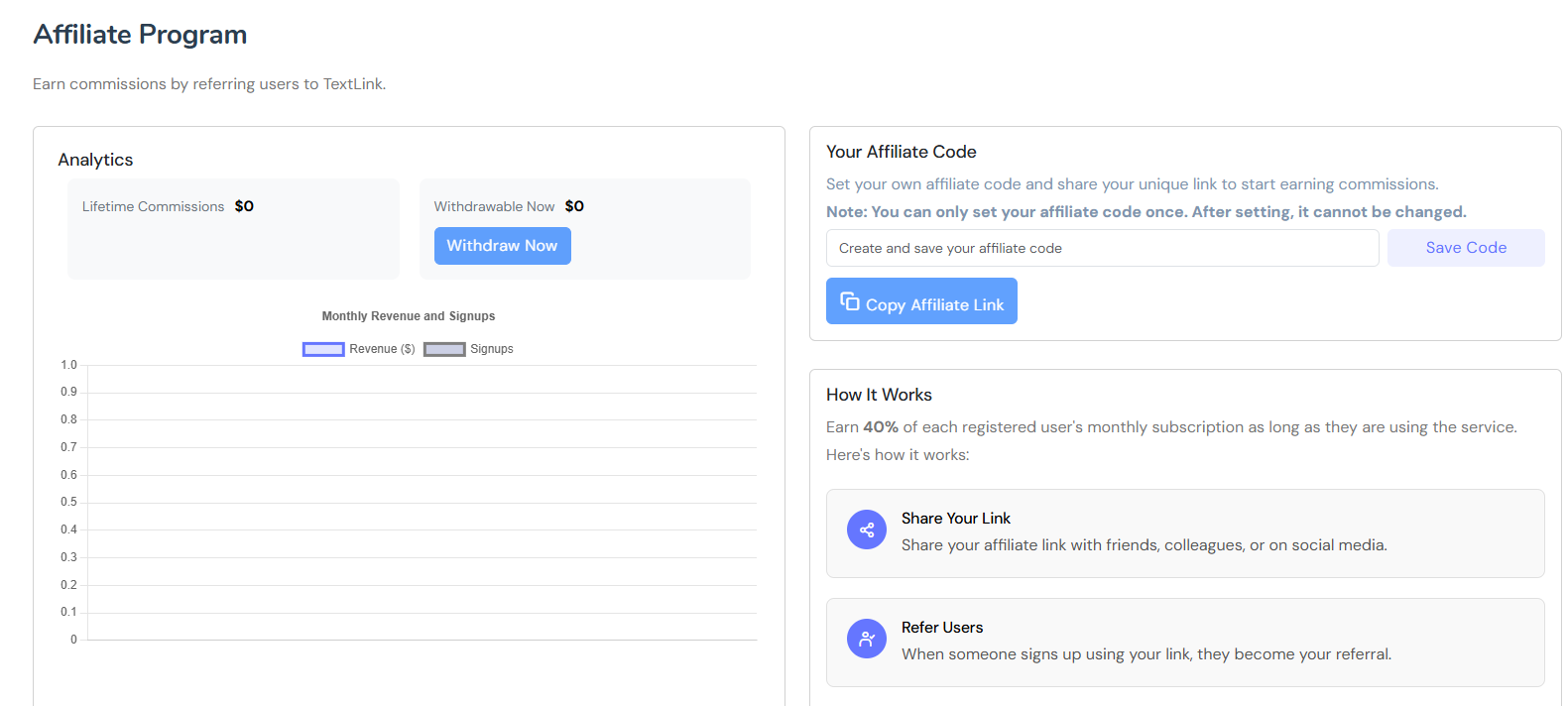
Create your invite code, and invite someone to use TextLink. You will earn 40% of subscriptions for everyone that uses your invite code.&#x20;

<figure><img src="https://3572457912-files.gitbook.io/~/files/v0/b/gitbook-x-prod.appspot.com/o/spaces%2FjN6C63NXU3nkbh40PVoq%2Fuploads%2FsRoqDulQg8PvW5qDVqyF%2Fimage.png?alt=media&#x26;token=e33f0cbe-e0b3-4be3-af09-b98c8ba52dc8" alt=""><figcaption></figcaption></figure>

## Balance and Analytics

![](https://3572457912-files.gitbook.io/~/files/v0/b/gitbook-x-prod.appspot.com/o/spaces%2FjN6C63NXU3nkbh40PVoq%2Fuploads%2FxXW5j2lhlPT5yF1AN0Eo%2FBalance_and_Analytics.png?alt=media\&token=c79cdea9-4c89-40b2-94de-c6d33fc336ad)

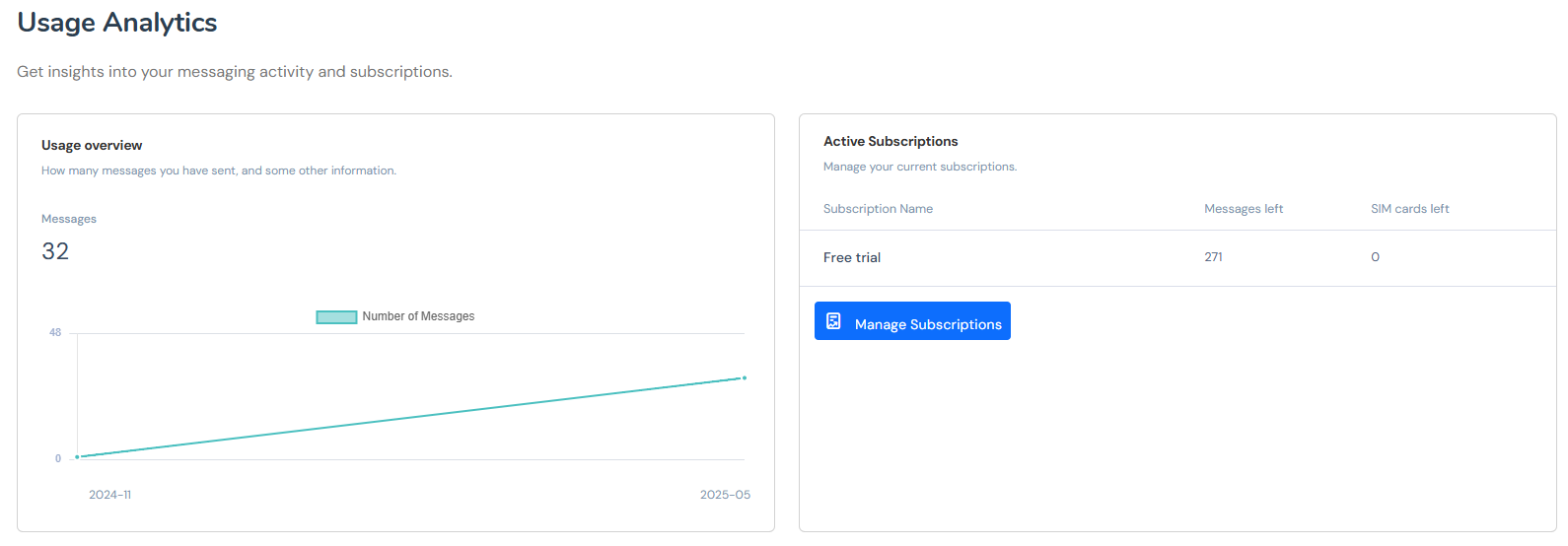
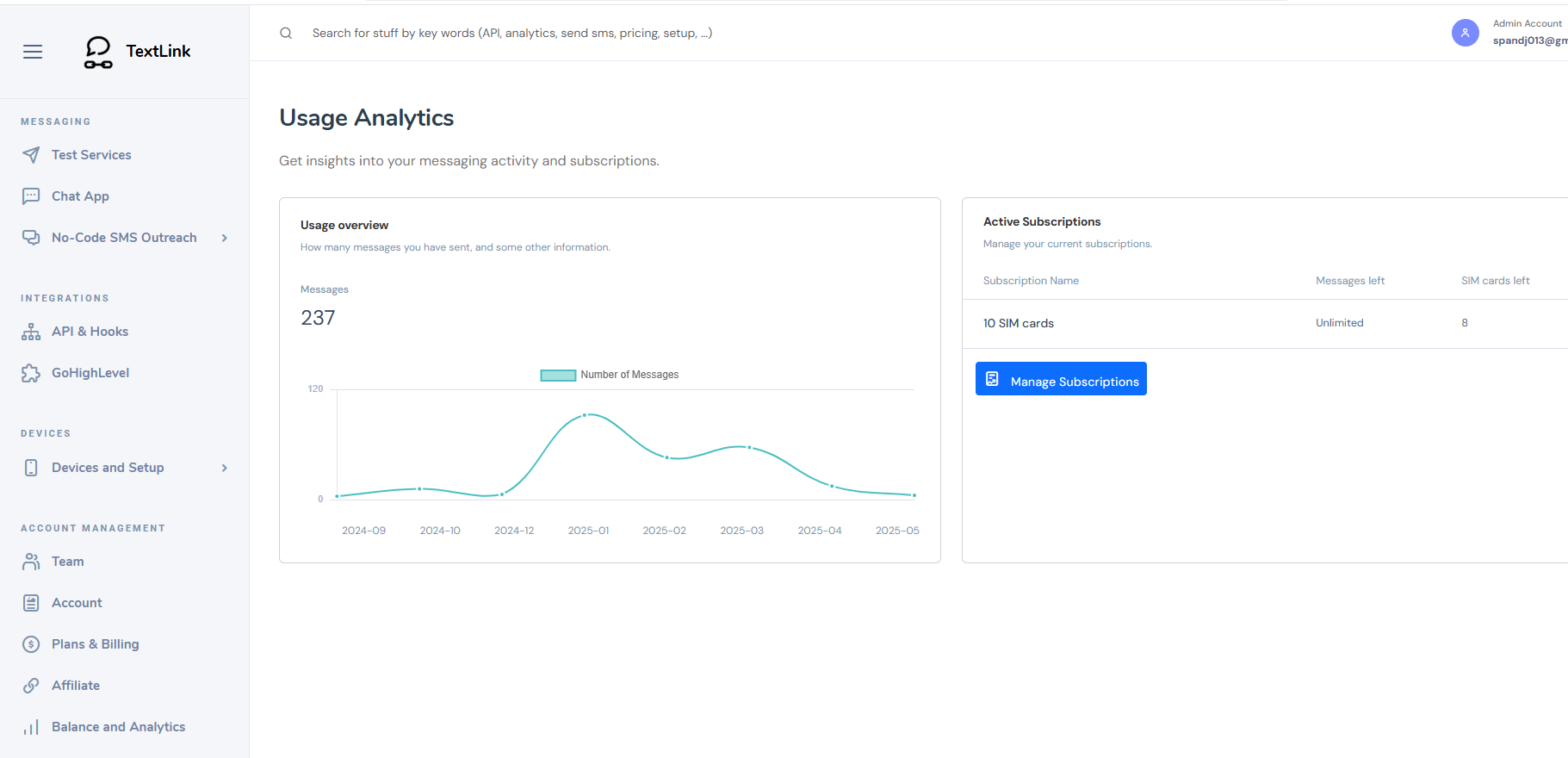
You can see your monthly usage analytics, as well as your current plan usage.&#x20;

<figure><img src="https://3572457912-files.gitbook.io/~/files/v0/b/gitbook-x-prod.appspot.com/o/spaces%2FjN6C63NXU3nkbh40PVoq%2Fuploads%2FGTnrcAmsKrRSMvz60yEA%2Fimage.png?alt=media&#x26;token=c41f0353-dd14-4ecc-b12f-ccdc79c3bc55" alt=""><figcaption></figcaption></figure>

## Help & Resources

![](https://3572457912-files.gitbook.io/~/files/v0/b/gitbook-x-prod.appspot.com/o/spaces%2FjN6C63NXU3nkbh40PVoq%2Fuploads%2FpjIA761ltc03UGBsQfXT%2FHelp_and_Resources.png?alt=media\&token=bd97b8b6-d534-4fb3-b054-d65744102fae)

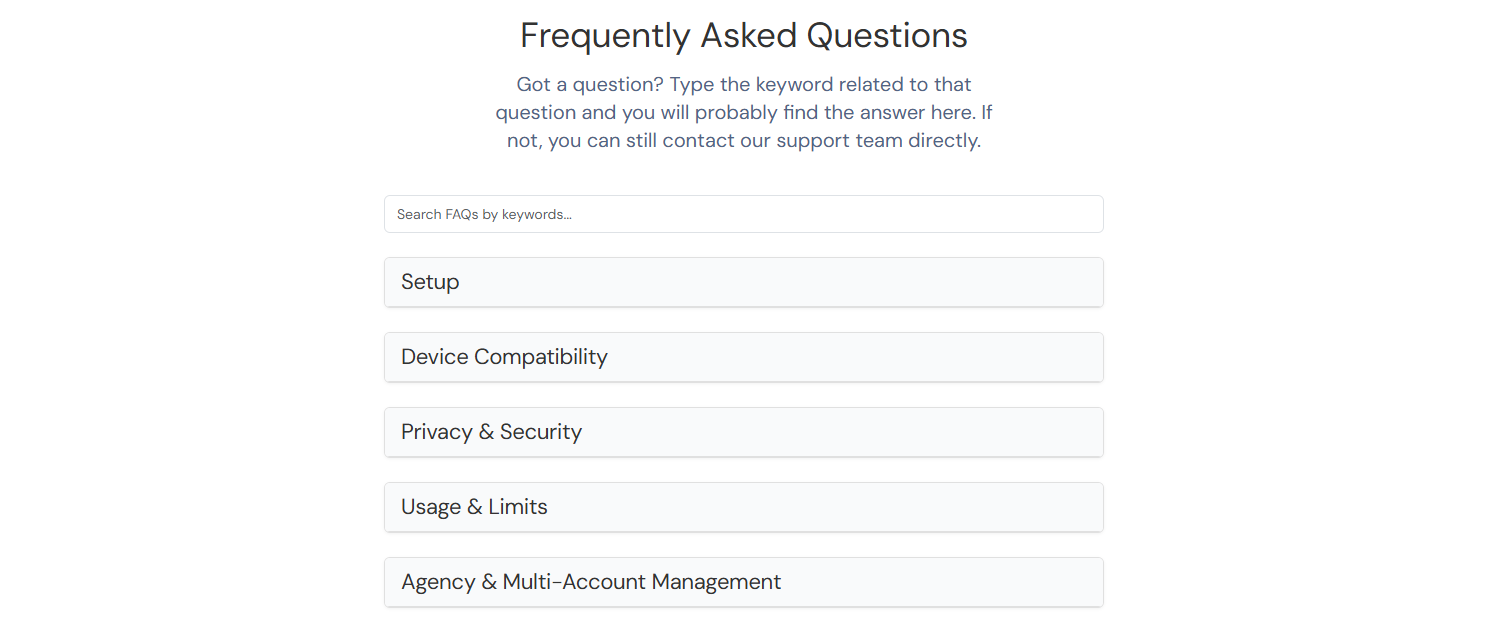
Access the list of the most commonly asked questions, and if you can't find what you are looking for, you can contact us using the button at the bottom of the page.

<figure><img src="https://3572457912-files.gitbook.io/~/files/v0/b/gitbook-x-prod.appspot.com/o/spaces%2FjN6C63NXU3nkbh40PVoq%2Fuploads%2Fk8SO6l3cFrWF9eLw4kAs%2Fimage.png?alt=media&#x26;token=6587557b-1358-4263-8c48-cd500899c482" alt=""><figcaption></figcaption></figure>

## Tutorials

![](https://3572457912-files.gitbook.io/~/files/v0/b/gitbook-x-prod.appspot.com/o/spaces%2FjN6C63NXU3nkbh40PVoq%2Fuploads%2FDGE6HQGqbwCor9itXnuN%2FTutorials_Resources.png?alt=media\&token=c09f0049-fca4-46b9-b7b8-1208ed762f48)

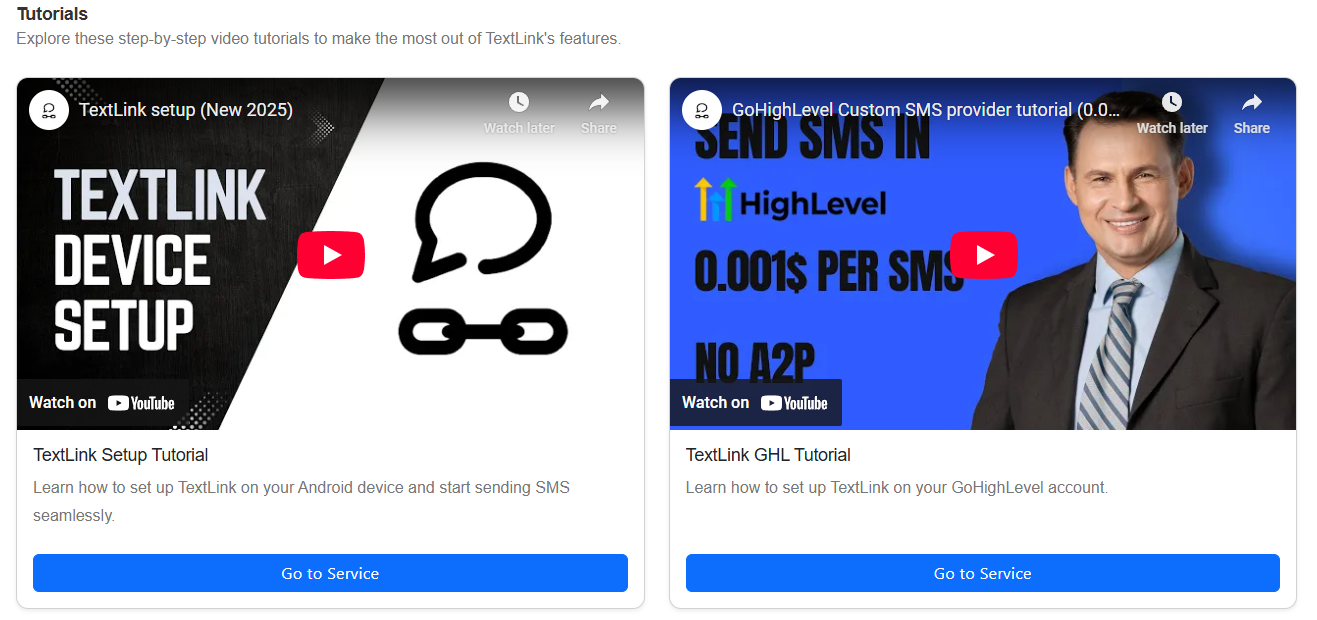
You can find some of the most popular of our tutorials here, and the rest on our [YouTube channel](https://www.youtube.com/@TextLink).

<figure><img src="https://3572457912-files.gitbook.io/~/files/v0/b/gitbook-x-prod.appspot.com/o/spaces%2FjN6C63NXU3nkbh40PVoq%2Fuploads%2FJY7hXLFvssDeq8g4Pk5q%2Fimage.png?alt=media&#x26;token=b2392591-ed94-4d47-b722-1193df48390d" alt=""><figcaption></figcaption></figure>

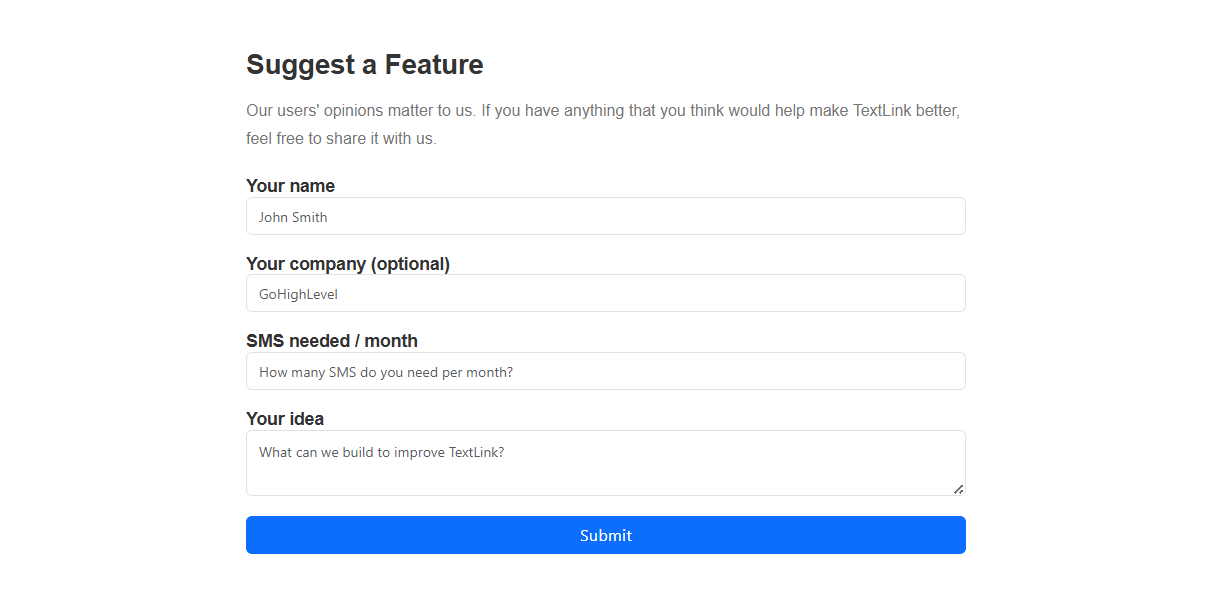
## Suggest a Feature

![](https://3572457912-files.gitbook.io/~/files/v0/b/gitbook-x-prod.appspot.com/o/spaces%2FjN6C63NXU3nkbh40PVoq%2Fuploads%2FAdzsQCB2mGcMzLj1sBK8%2FSuggest_a_Feature.png?alt=media\&token=71c3ec5c-b1b7-4435-a097-02aa5f2c26c7)

If you feel like TextLink is missing an important feature or something that would help you use it, feel free to suggest it using this form.
<figure><img src="https://3572457912-files.gitbook.io/~/files/v0/b/gitbook-x-prod.appspot.com/o/spaces%2FjN6C63NXU3nkbh40PVoq%2Fuploads%2FfeRtJAjERR3P2zA6kaxZ%2Fimage.png?alt=media&#x26;token=280e8c6c-5a70-4ee1-8ed5-5bfc5649d402" alt=""><figcaption></figcaption></figure>


---

# Agent Instructions: Querying This Documentation

If you need additional information that is not directly available in this page, you can query the documentation dynamically by asking a question.

Perform an HTTP GET request on the current page URL with the `ask` query parameter:

```
GET https://docs.textlinksms.com/dashboard.md?ask=<question>
```

The question should be specific, self-contained, and written in natural language.
The response will contain a direct answer to the question and relevant excerpts and sources from the documentation.

Use this mechanism when the answer is not explicitly present in the current page, you need clarification or additional context, or you want to retrieve related documentation sections.